WP Shifty 1.3 is out. The most visible change is a completely redesigned dashboard, but the release also brings version history with one-click restore, import and export of scenarios, a clear view of where scenarios overlap, support for network-activated plugins on multisite, and a long list of fixes. Here is what changed and why it matters.
If you are new to it: WP Shifty lets you decide, page by page and condition by condition, which plugins, stylesheets and scripts load. Each set of rules is a scenario, for example “no Google Fonts on the home page” or “Contact Form 7 only on the Contact page”. A disabled plugin does not just hide its files; its PHP does not run at all on that request.
What’s new in 1.3 at a glance
- A redesigned dashboard with a scenario list on the left and a details panel on the right.
- Version history with restore: every save is kept, and any earlier version can be brought back.
- Import and export of single scenarios or all of them, files included.
- Overlaps made visible: the dashboard shows rules that other scenarios share, and the editor lists the other scenarios that run on the page you are previewing.
- Multisite: super admins can disable network-activated plugins in a scenario.
- Improvements and fixes: IF-only scenarios, lazy loaded script order, faster plugin-only scenarios, a cached license check and more.
A dashboard that tells you what each scenario does
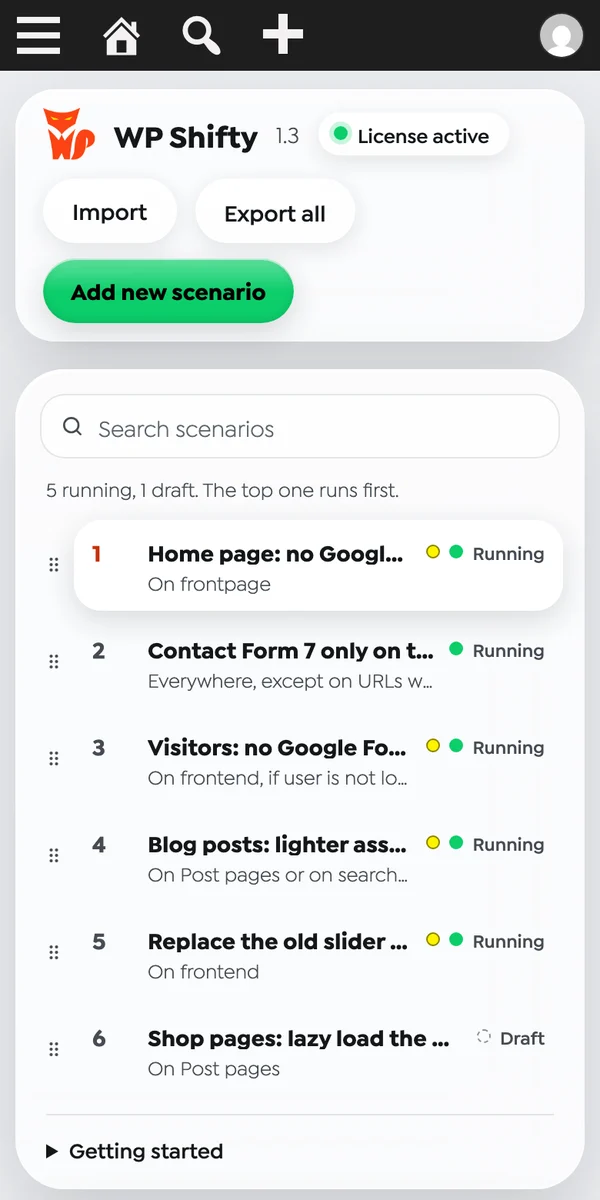
The old dashboard was a grid of cards. It worked with three scenarios and got hard to read with ten. The new one is a list and an inspector. On the left you see every scenario with its status (running, paused or draft) and a one-line summary of where it applies. Click one, and the right side explains it in plain words: Where it runs lists the conditions, and What it changes lists every rule, such as a disabled stylesheet or a lazy loaded script.
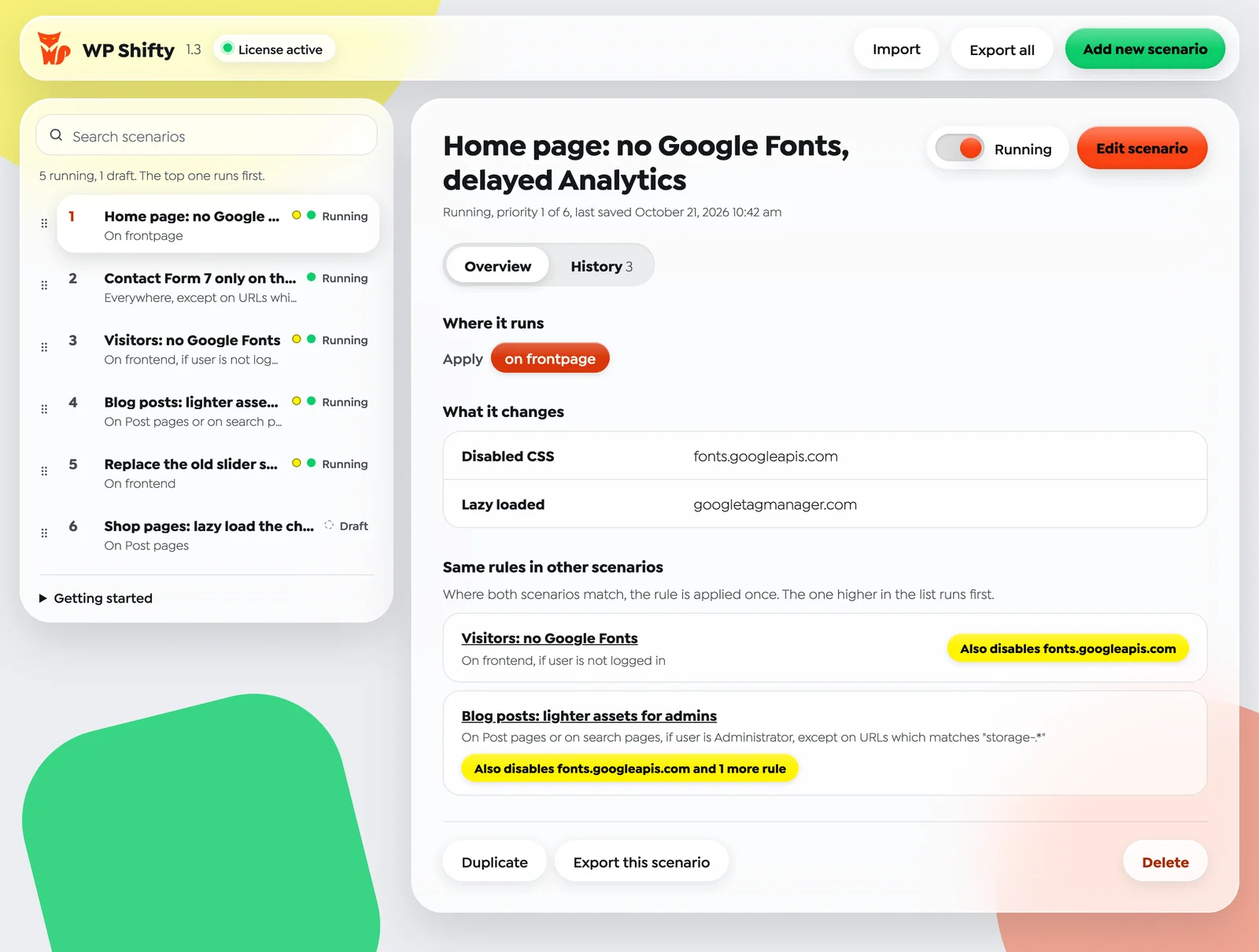
Everything you need day to day is on this screen. The switch next to the title pauses or resumes a scenario without opening the editor. The order of the list is the order in which scenarios run, the top one first, and you can change it by dragging a scenario or with the arrow keys. There is a search box for longer lists, and Duplicate, Export and Delete sit at the bottom of the details panel. The layout also works on a phone, so a quick pause from your mobile is now realistic.
See where scenarios overlap
Once a site has a handful of scenarios, two of them often touch the same thing. Maybe one removes Google Fonts on the home page and another removes them for every logged-out visitor. That is not a problem, but you should know about it before you change one of them. The details panel now has a Same rules in other scenarios section that lists the running scenarios with an identical rule. Where both match, the rule is applied once, and the scenario higher in the list runs first.
The editor does the same from the other direction. When you preview a page, a notice lists every other active scenario that also applies to that page, so you know which rules are already in effect in the preview.

Version history with one-click restore
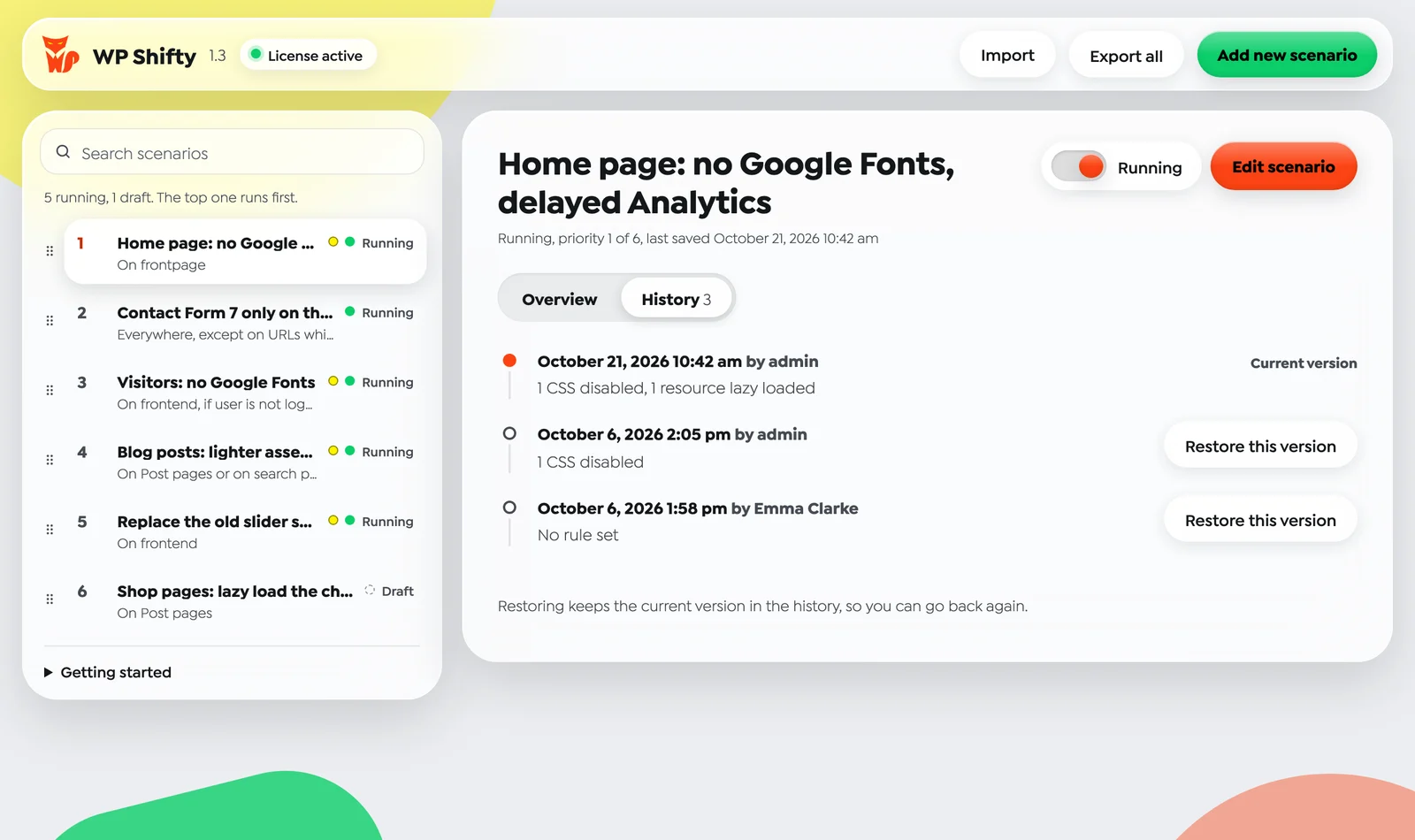
Every time you save a scenario, WP Shifty now keeps a copy of it, including the files of its overwrite and inject rules. The History tab shows who saved which version and when, with a short summary of the rules in each one. If a change breaks something, Restore this version brings back the earlier state. Restoring does not throw anything away: the version you are leaving stays in the history, so you can go back again. The last 20 versions of each scenario are kept, and you can restore from the dashboard or from the editor.
Import and export scenarios
Scenarios can now leave the site they were built on. Export this scenario saves one scenario, Export all saves every scenario, as a JSON file that also carries the files of overwrite and inject rules. Import loads such a file on another site. Imported scenarios arrive switched off, so nothing changes on the site until you review them and turn them on. This makes it easy to build and test a setup on staging and move it to production, or to reuse a proven set of scenarios across client sites.
Network-activated plugins on multisite
On a multisite network, plugins activated for the whole network were out of reach until now. In 1.3, super admins can disable network-activated plugins in a scenario, just like plugins activated on a single site.
Improvements and fixes
- IF-only scenarios run everywhere. A scenario with only an IF condition, such as “if the user is not logged in”, now runs on every request where that condition is true.
- Lazy loaded scripts keep their order. Delayed scripts now run in the order they appear on the page, and scripts that wait for the page to finish loading still start correctly.
- Faster plugin-only scenarios. A scenario that only disables plugins no longer processes the page HTML.
- Cached license status. The license is checked at most every 12 hours (every 10 minutes while the license server can’t be reached), so the dashboard opens faster.
- Fixed: a PHP 8 error with array query or cookie values, URL, front page and POST data conditions that did not always match, RSS feeds changed by scenarios, overwritten scripts saved as CSS, URLs changed in the CSS editor, duplicated scenarios sharing inject files, drag and drop order that reverted, files lost after a site URL change, and the keep-settings question on deactivation.
One thing to check after updating: earlier versions of the editor could save a JavaScript overwrite rule as CSS. If a scenario overwrites a script file, open it once, make sure the overwrite type is JS, and save it. The full list of changes is in the WP Shifty documentation and changelog.
How to update
Open Plugins or Dashboard → Updates in WordPress and update WP Shifty to 1.3. Your scenarios, their order and their files stay as they are. Version history starts with your first save in 1.3, and that first save also keeps the state the scenario was in before it. We tested the release on PHP 7.4 and PHP 8.5.
New to WP Shifty? Our guide to disabling plugins per page in WordPress walks through building a first scenario step by step.