

Most WordPress cookie plugin comparisons are written from feature tables. This one is not. We built a small demo shop on a clean WordPress install — with a YouTube embed, a Google Tag Manager container and an analytics script, the mix a real site actually has — and then set up Must-Have Cookie and Borlabs Cookie on it, one at a time, in the same environment.
We make one of these two plugins, so treat the verdict with the scepticism it deserves. The methodology is written out below so you can reproduce every number yourself, and where Borlabs is the better tool we say so.
The short version
| Must-Have Cookie | Borlabs Cookie | |
|---|---|---|
| Front-end assets (our test configuration) | 9 requests, 64.6 KB | 20 requests, 395.9 KB |
| Configurable before a license is activated | Yes, everything | No, every settings page is locked |
| Steps from activation to a working banner | 1 (turn off Preview Mode) | 3 (license → setup assistant → enable status) |
| Blocked embed placeholder | Names the domain, one-click unblock | Generic “Default” placeholder until configured |
| Cookie scanning | Built in, automatic and on demand | Cloud Scan, tied to the license |
| Dialog editing | Live editor, click any element | Settings pages plus separate appearance screens |
| Google Consent Mode v2 | Single switch | Supported, configured per service |
| IAB TCF | Not the focus | Deep support with a dedicated vendor interface |
| Price, 1 site | €29.99 / year (or €2.99 / month) | €49 / year |
| Price, 5 sites | €79.99 / year | €109 / year |
How we tested
Comparisons are only worth reading if you can check them, so here is the exact setup. Both plugins ran on the same site, on the same day, against the same page.
- WordPress: 7.0.2, clean install, Twenty Twenty-Five theme
- PHP: 8.3.33, memory limit 128 MB
- Server: Apache on Linux x86_64 (6.8 kernel), standard shared-style virtual host, HTTPS via Cloudflare
- Caching: no caching or optimisation plugin installed, no object cache, no page cache
- Other plugins: only one consent plugin active at any moment — never both at once
- Test page: one demo shop page containing a YouTube iframe, a Google Tag Manager container snippet and a Google Analytics script — identical for both runs
- Browser: Chromium 151.0.7922.34, 1440 × 900 viewport
- Session: a fresh incognito context for every single measurement, so no consent cookie, no cache and no service worker carried over
- What we counted: every HTTP response requested by the plugin itself (its own scripts, styles, configuration and placeholder assets), triggered up to and including the consent dialog being displayed
Both plugins were configured to the same job: block third-party services until consent, show a modal dialog, log consent. Neither was tuned for performance, and neither was crippled — these are the defaults each product gives you after its own recommended setup path.
Setup: one step versus three
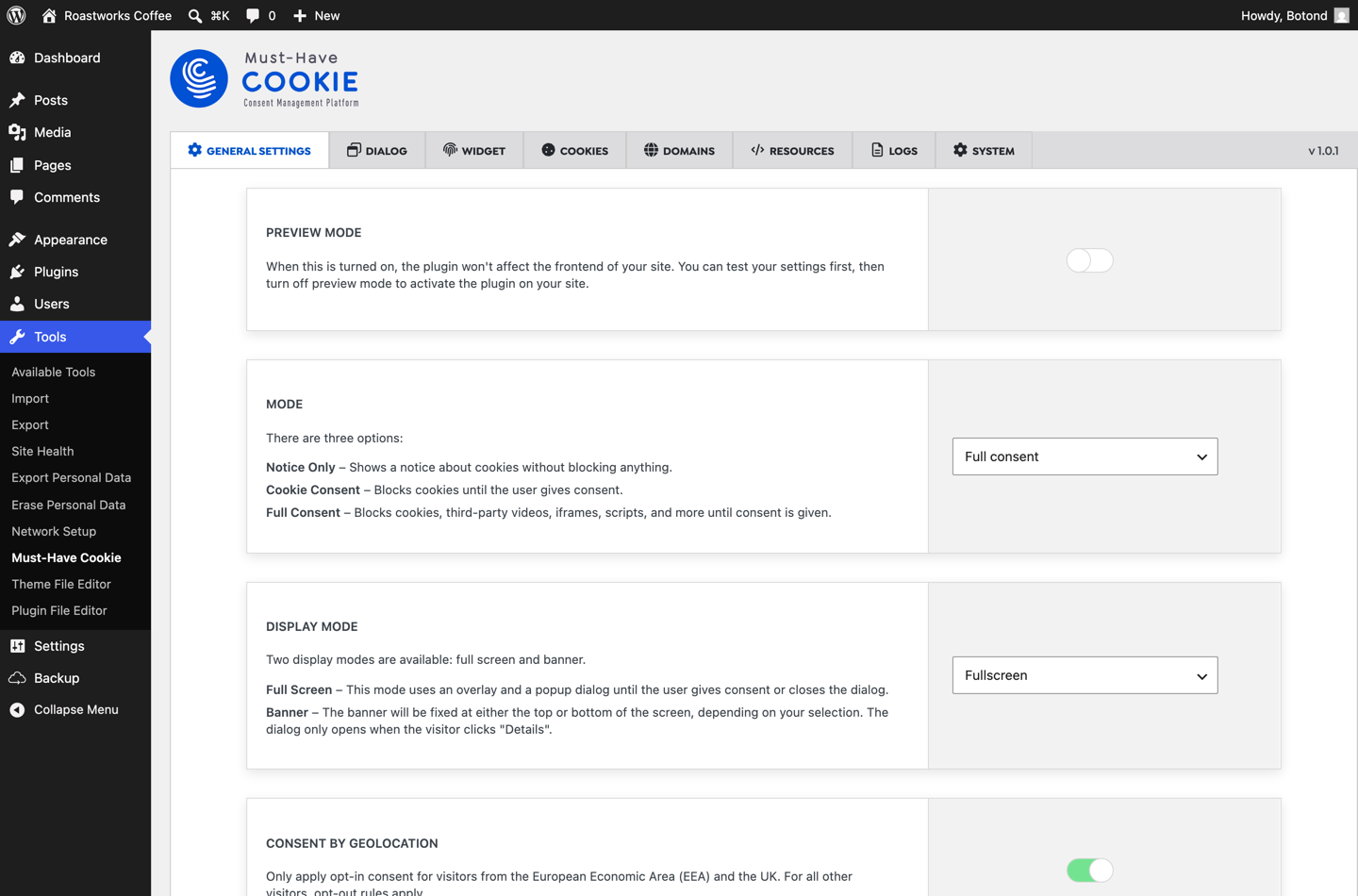
Must-Have Cookie activates into Preview Mode. The plugin configures itself from the first second — categories, texts, buttons, blocking rules — but stays invisible to visitors, so you can set it up on a live site without showing anyone a half-finished banner. When you are happy, you flip one switch and it goes live. That is the whole installation.
It also does not hold your settings hostage: we configured the entire plugin before activating a license.
Borlabs works the other way around. Until a license key is registered, every settings page shows the same line: “Please activate your license key first.” Dashboard, dialog settings, services, blockers — all locked, and the setup assistant refuses to start. The key is also bound to a domain: ours was still registered to another site, and Borlabs rejected it until we released it in the customer portal. That is a fair anti-piracy design, but if you build on staging and migrate to production, plan for that step.
Once licensed, the setup assistant is genuinely pleasant — Quick, Custom or Guided — and pulls service packages from the Borlabs cloud. Then a third step catches people out: when the assistant finishes, the plugin is still off. You have to enable Borlabs Cookie Status in General Settings before anything renders at all. We spent several minutes staring at a banner-free demo shop because of exactly that. It is documented in the Borlabs knowledge base — but it is a step you have to know about.
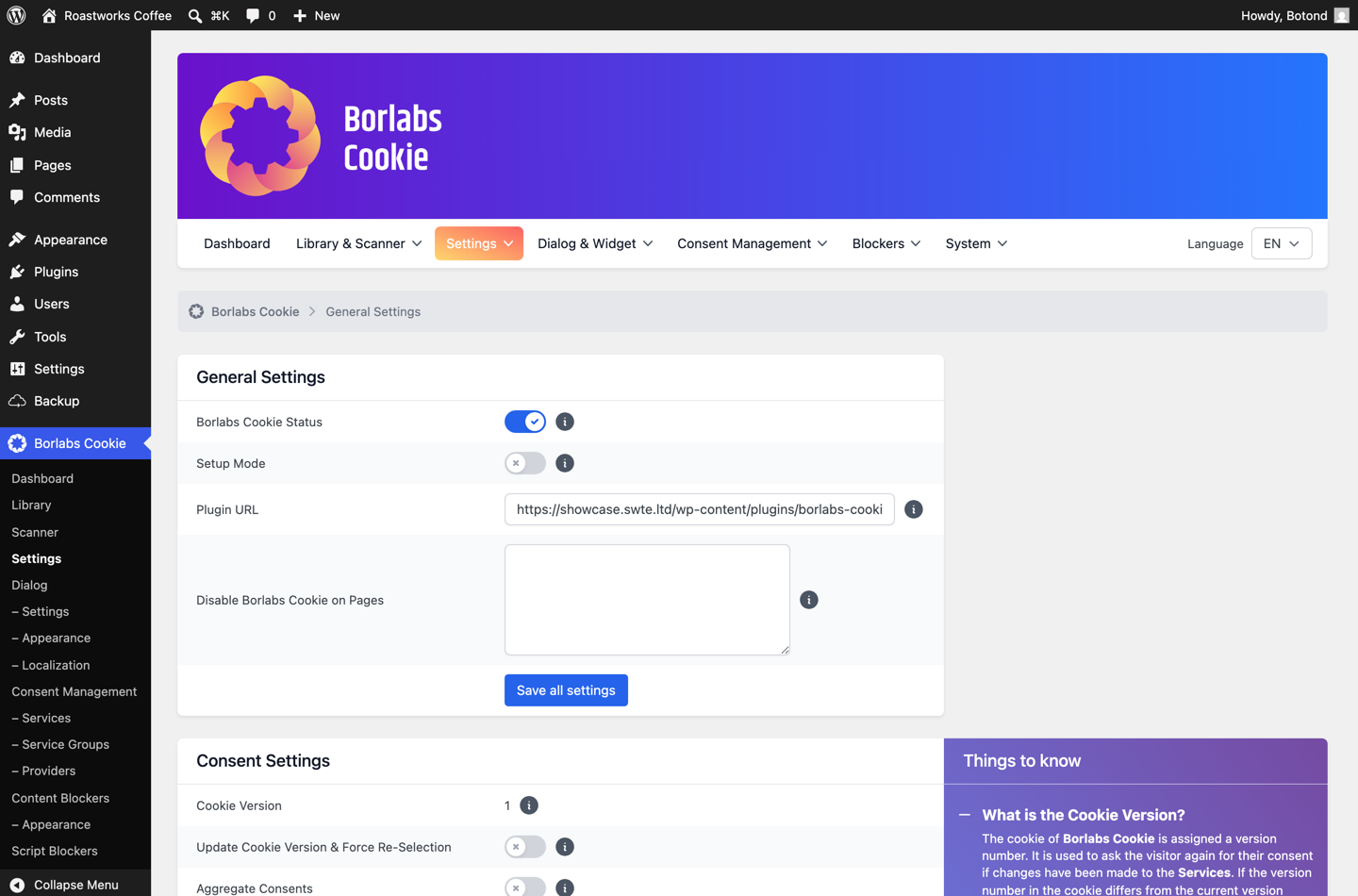
Counted honestly: one step to go live versus three, and one of those three depends on a license server being reachable. If you are evaluating an alternative to Borlabs Cookie because setup friction is what pushed you to look, that difference is the whole story.
What the visitor sees first
Both plugins render a proper GDPR cookie plugin experience: a modal dialog with granular categories, an accept-all path and a reject path. The defaults differ in a way that matters.
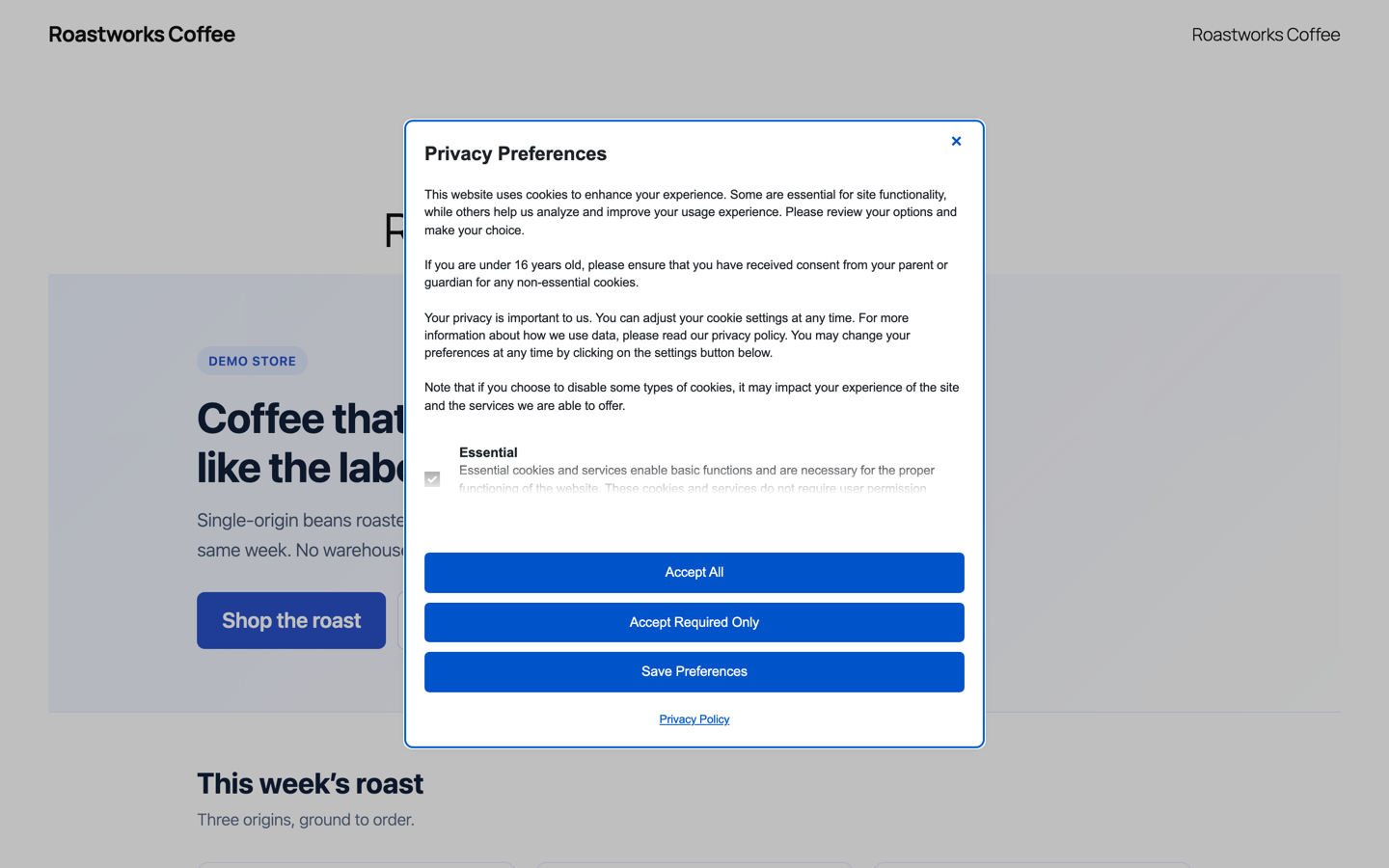
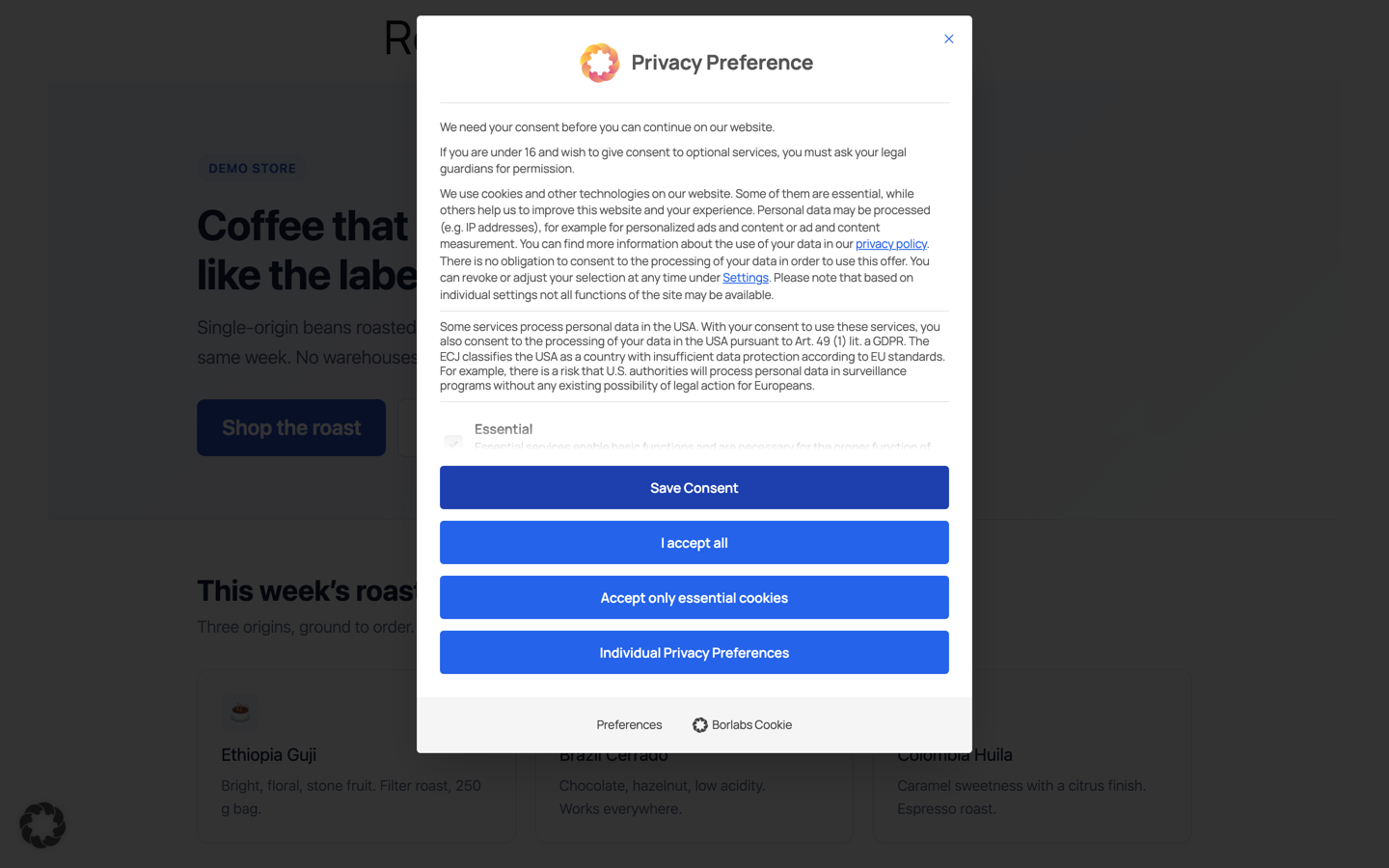
One default worth knowing: Borlabs ships with Show Dialog After User Interaction enabled, so the box does not appear on load — only once the visitor scrolls, moves the mouse or clicks. If you are testing a fresh install and see nothing, that is usually why.
The real test: blocking a YouTube embed
A consent banner is easy. Actually preventing a third-party embed from loading before consent — and giving the visitor a way back in — is where a WordPress CMP earns its money. It is also the part regulators care about, as we covered in why GDPR compliance means blocking third-party embeds. Our demo page has a standard YouTube iframe in a video section.
Must-Have Cookie in Full Consent mode replaces it with a placeholder that names the domain being blocked and offers two ways forward: unblock just this provider, or accept everything. The visitor understands exactly what they are agreeing to, and they never leave the page. No configuration was needed for this.
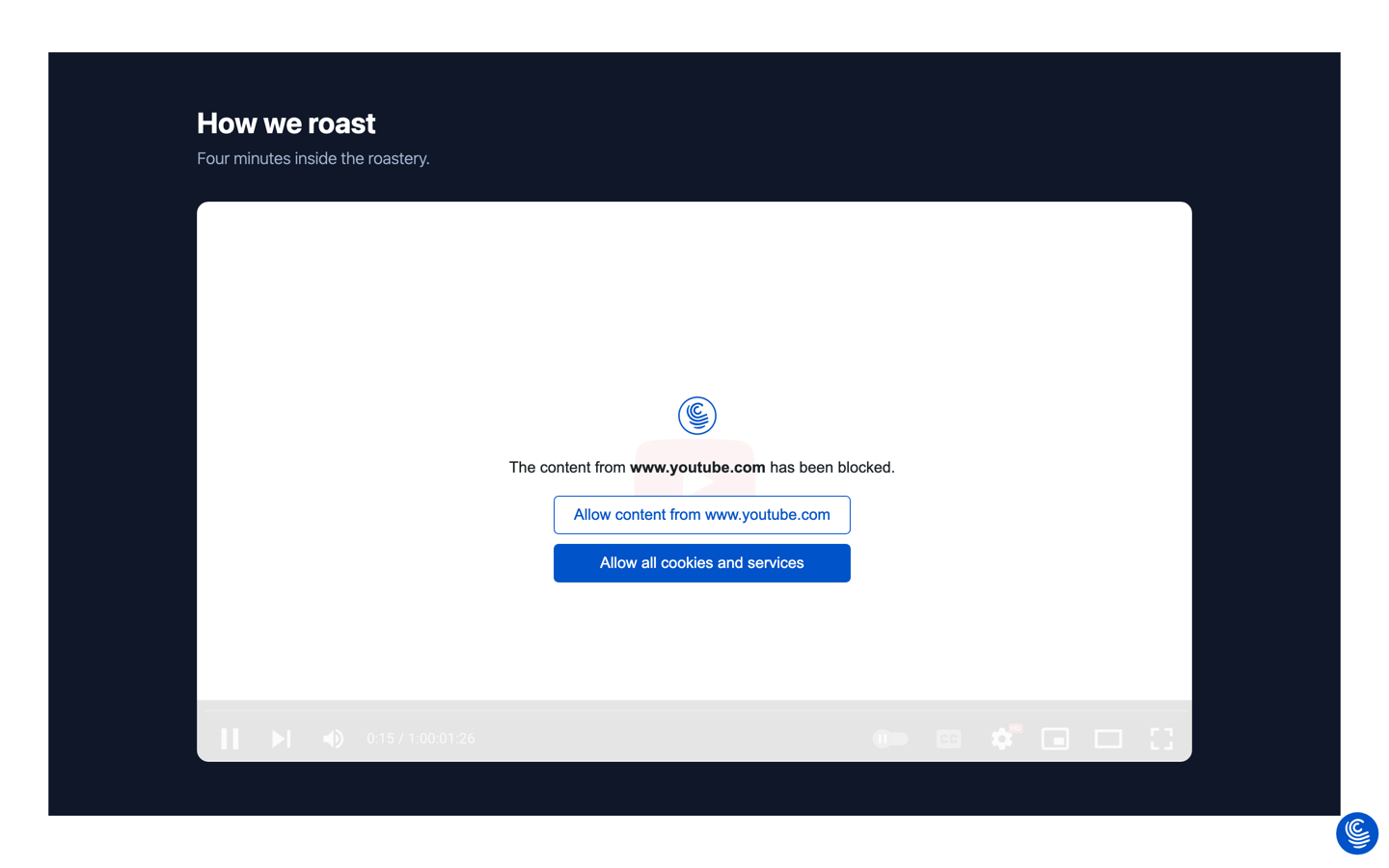
Borlabs blocks the same iframe, but straight after its Quick Setup the placeholder reads “You are currently viewing a placeholder content from Default”. The mechanism works correctly; the message stays generic until you open Content Blockers and wire up the YouTube blocker. More power, more homework.

Accept, and the video plays in place — no reload, no lost scroll position.

Automatic by default, editable to the pixel
The reason Must-Have Cookie needs so little setup is that the work is done for you: cookies and domains are discovered automatically, sorted into purposes, and the dialog is written and styled out of the box. That is the default, not the ceiling.
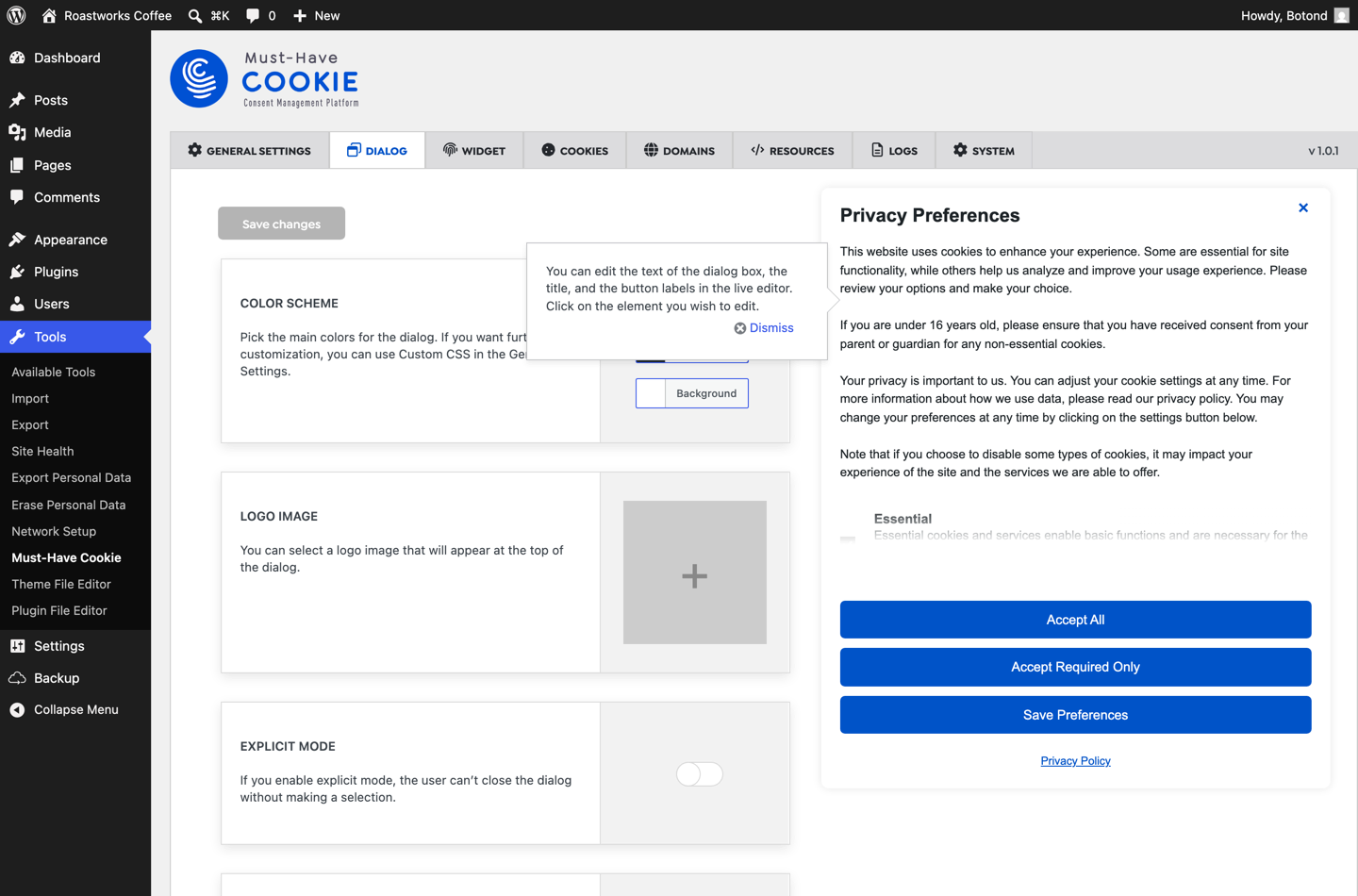
Open the Dialog tab and you get a live editor: the real dialog sits next to the settings, and you click the element you want to change — the title, the body text, any button label — and edit it in place. Colours, logo, banner position, explicit mode (where the visitor cannot dismiss without choosing) and your own custom CSS are all there, updating as you type.
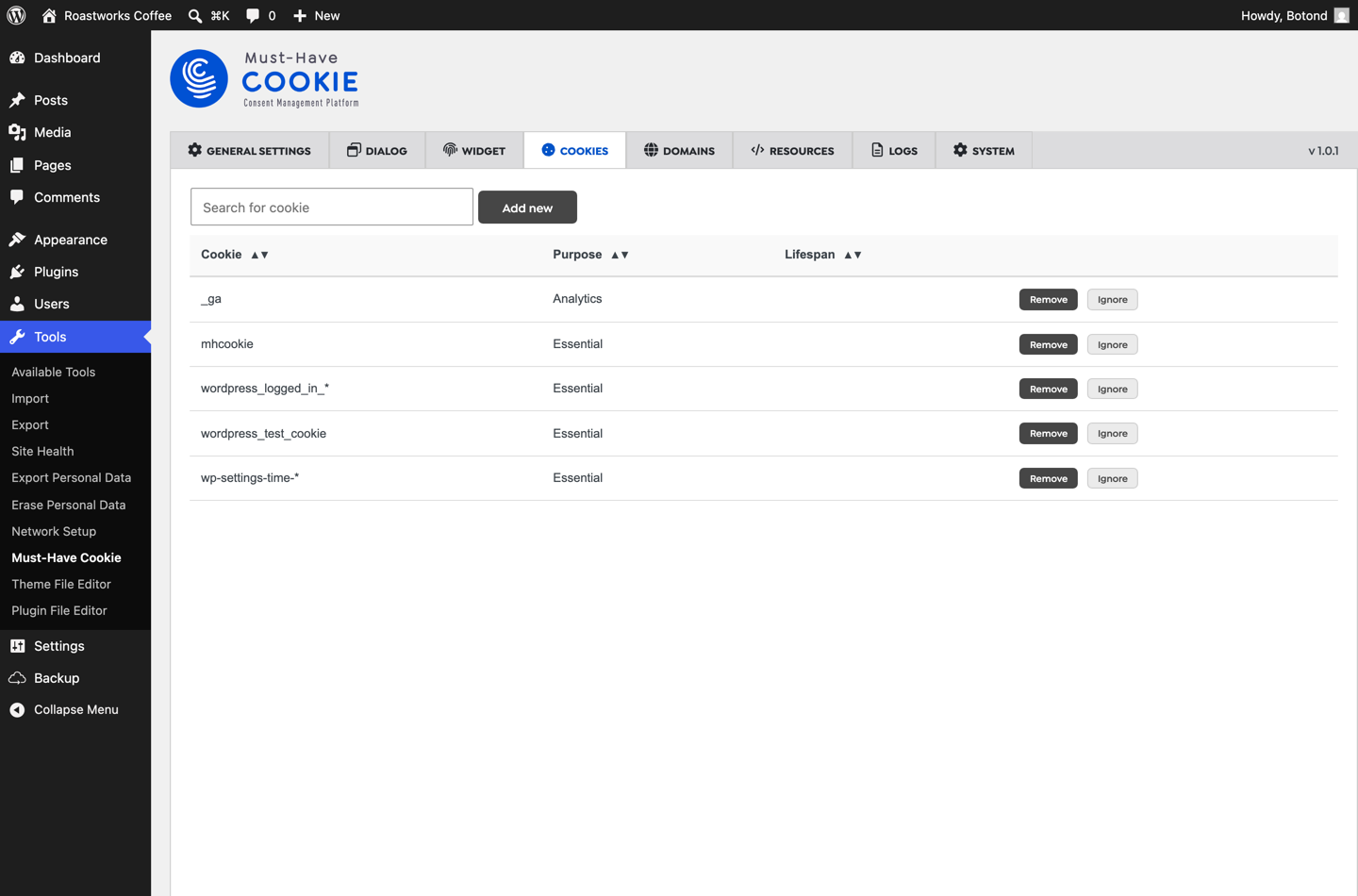
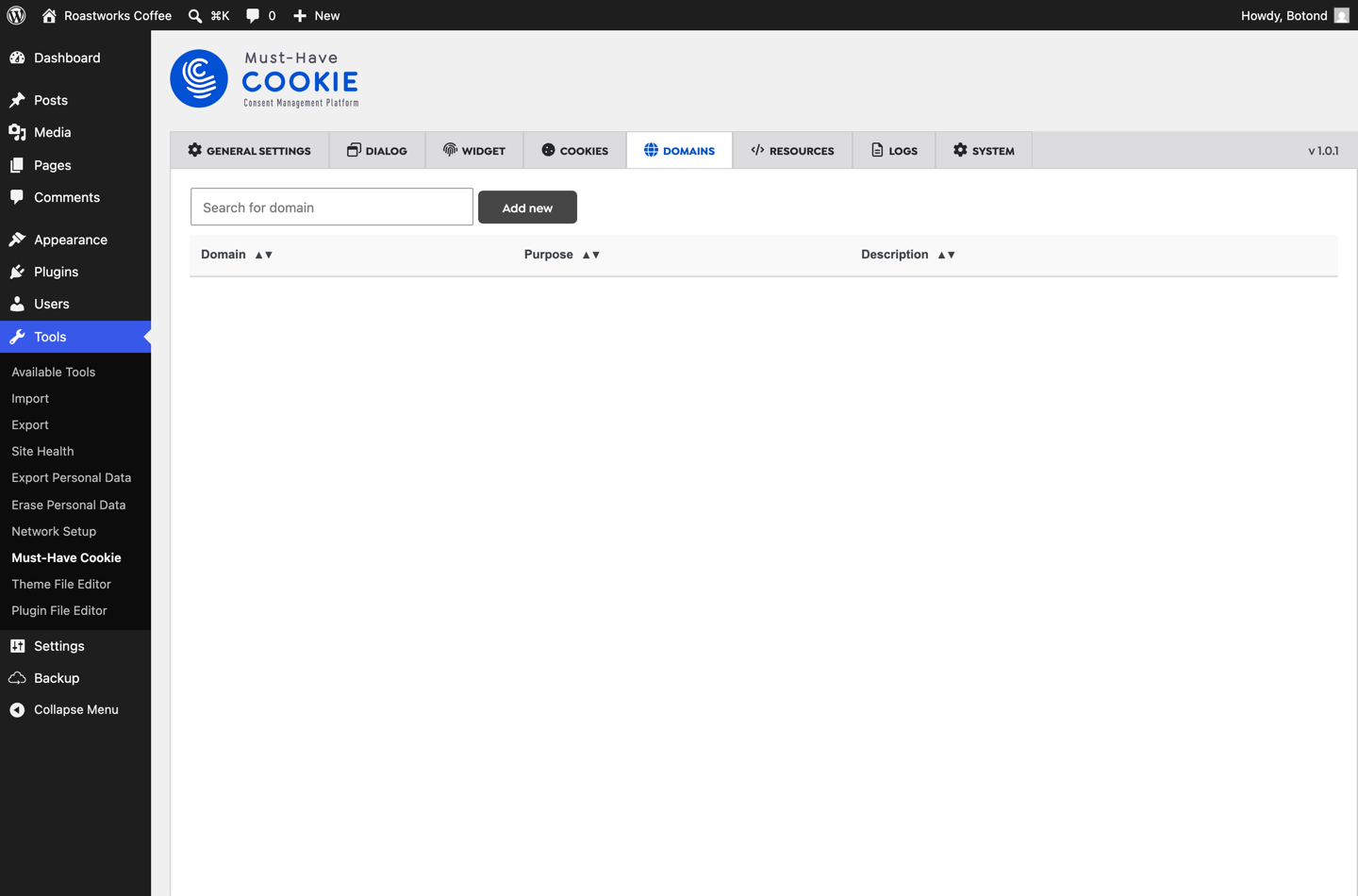
The same philosophy runs through the cookie scanner and the domain list. Automatic scanning fills them in; you can override any purpose, add entries by hand, set lifespans and write your own descriptions — the ones that end up on your cookie policy page.
Consent logs, geolocation and Google Consent Mode v2
Under GDPR Art. 7(1) you have to be able to demonstrate that consent was given. Both plugins keep consent logs; Must-Have Cookie’s filled in the moment we clicked through the banner, storing a unique consent ID, exactly what was accepted, the IP address, the device and browser, and the timestamp — exportable when someone asks.
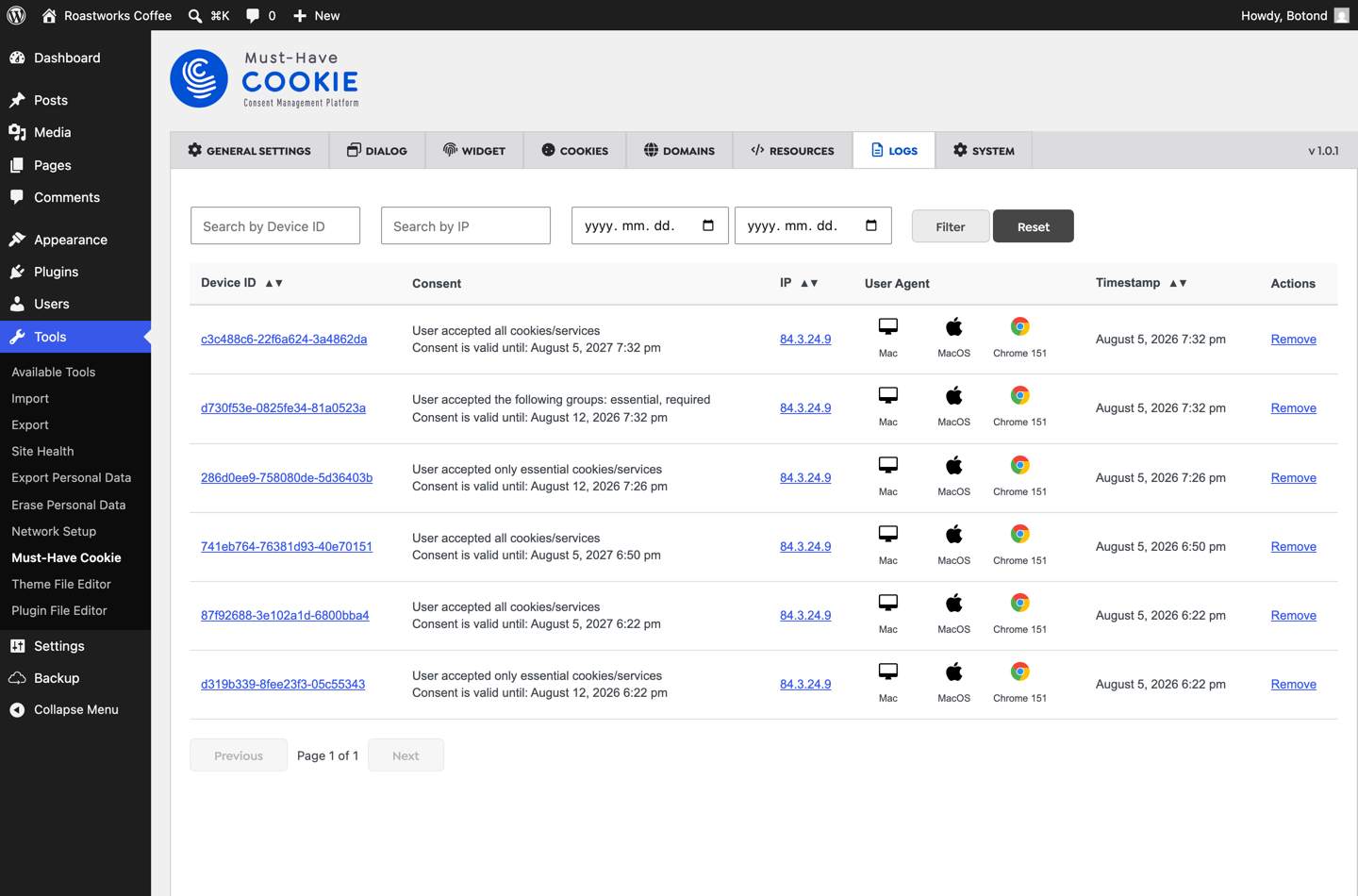
Geolocation is a single switch in Must-Have Cookie: opt-in consent for visitors from the EEA and the UK, opt-out rules elsewhere. Borlabs offers geo-restriction as part of its cloud service, with more knobs around it.
Both products work as a Google Consent Mode v2 plugin, which is what actually keeps your measurement usable after a rejection — see Google’s consent documentation for the signals themselves, our piece on Consent Mode v2 versus a certified CMP for why you need both, and why Consent Mode still leaves gaps for the limits. In Must-Have Cookie it is one toggle in General Settings; in Borlabs it is configured per service.
What it costs your visitors
A consent solution runs on every page view, for every visitor, before third-party services are allowed to load. So we loaded the same demo page with one plugin active at a time, triggered the dialog, and recorded every asset each plugin requested.
| Plugin | Requests | Transferred |
|---|---|---|
| Must-Have Cookie | 9 | 64.6 KB |
| Borlabs Cookie | 20 | 395.9 KB |
In our default test configuration that is roughly six times the front-end payload for the same job on the same page — and Must-Have Cookie’s 64.6 KB even includes the blocked-video placeholder assets. Your own numbers will differ with the services you enable, but the shape of the difference is architectural rather than accidental: Borlabs ships a Vue runtime (75.7 KB), an IAB TCF bundle (60.2 KB), a consents module (48.8 KB) and a 107.7 KB stylesheet, whether or not the site uses any of it. Must-Have Cookie’s core is three files: 7.1 KB of CSS, 8.2 KB of script and 11.5 KB for the dialog.
Consent assets sit in the critical path of what a visitor experiences first, so if you are chasing Core Web Vitals, a third of a megabyte of consent machinery is worth weighing.
Where Borlabs Cookie is genuinely ahead
Two things, and they are real. First, its catalogue of ready-made third-party service definitions is the largest on the market — if your site embeds something obscure, there is a good chance Borlabs already knows about it. Second, it goes deep on IAB TCF with a dedicated vendor interface, which matters if you sell programmatic advertising. It is a mature product with a long track record, particularly in the German-speaking market, and its granular Content, Script and Style Blockers give you precise control on complicated sites.
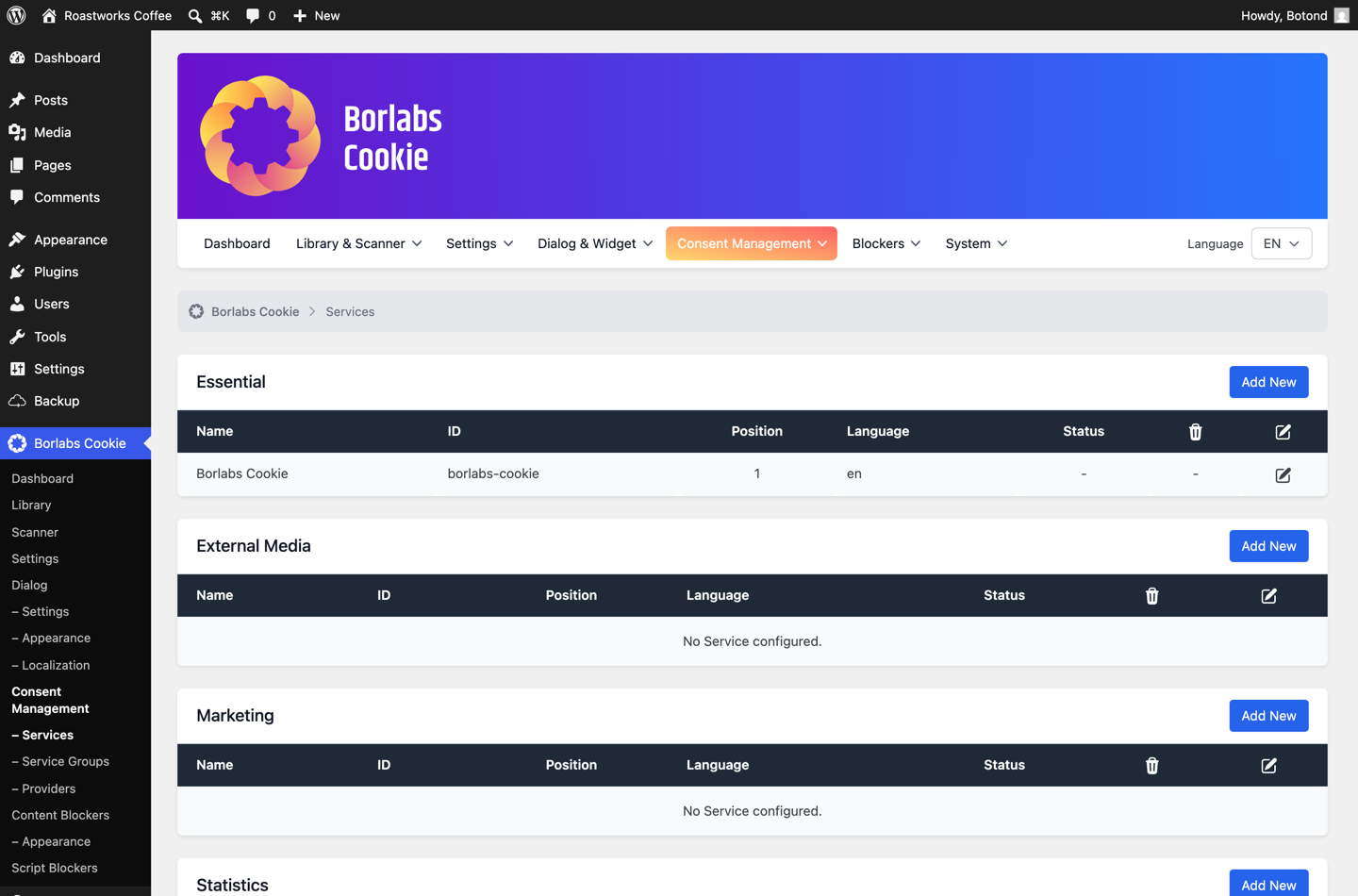
The flip side is that all of it is surface area you configure and pay for — in licence fees, in setup time, and in kilobytes on every page load. For a shop, a business site or a blog with a video embed, a tag manager and an analytics tool, much of that machinery is downloaded and never used.
Price
| Must-Have Cookie | Borlabs Cookie | |
|---|---|---|
| 1 site | €29.99 / year | €49 / year |
| 5 sites | €79.99 / year | €109 / year |
| Monthly option | €2.99 / month | — |
| Pageview or consent limits | None | None |
| Larger tiers | Unlimited sites via the Must-Have Pack | €229 / 25 sites, €499 / 99 sites |
If you run more sites than that — or want more than consent management — Must-Have Cookie is also part of the Must-Have Pack: all ten of our plugins together, $19.99/month for three sites or $59.99/month for unlimited sites, with every future plugin included. Both the individual plugin and the Pack come with a 14-day money-back guarantee.
Who should choose what?
Choose Must-Have Cookie if you:
- want a consent banner live in minutes rather than an afternoon of configuration
- care about performance and Core Web Vitals
- manage several WordPress sites and do not want to repeat a long setup on each one
- run a business site, blog or WooCommerce store with a normal set of third-party services
- want a lightweight WordPress CMP you can still customise down to the button label
Choose Borlabs Cookie if you:
- need advanced IAB TCF support with vendor-level management
- run complex programmatic advertising setups
- embed a long tail of unusual third-party services and want them pre-defined
- are already invested in the Borlabs ecosystem and your team knows it well
Replacing Borlabs Cookie: what migration looks like
Migrating from Borlabs Cookie is less work than most people expect, because consent state is not something you carry over — under GDPR a change of consent solution generally means asking again anyway. In practice: install Must-Have Cookie alongside, leave it in Preview Mode while you check the dialog and the blocking behaviour on your own pages, then deactivate Borlabs and turn Preview Mode off. The automatic scan rebuilds your cookie and domain inventory, so there is no service list to port by hand.
Two things to check afterwards, and they apply to any consent plugin swap: that your cookie policy page is regenerated, and that embeds still behave as expected on mobile and inside in-app browsers.
Frequently asked questions
Is Must-Have Cookie a good Borlabs Cookie alternative?
For most WordPress sites, yes. It covers the same core job — blocking third-party services until consent, granular categories, consent logs, cookie scanning, geolocation and Google Consent Mode v2 — with a much shorter setup and a fraction of the front-end weight. The exception is IAB TCF: if you need vendor-level TCF management, Borlabs remains the stronger choice.
Which plugin is easier to configure?
Must-Have Cookie, by a clear margin in our test. It arrives pre-configured in Preview Mode and needs one switch to go live, and every setting sits on a single page with a live editor. Borlabs requires a license activation before any screen is usable, then a setup assistant, then a separate status switch — three gated steps before a visitor sees anything.
Which plugin is faster?
In our test configuration Must-Have Cookie requested 9 files totalling 64.6 KB, and Borlabs Cookie requested 20 files totalling 395.9 KB, on the same page in the same browser. Your figures will vary with the services you enable, but the difference comes from architecture — Borlabs ships a Vue runtime and an IAB TCF bundle to every visitor — so the direction is unlikely to reverse.
Does Borlabs support Google Consent Mode v2?
Yes. Both plugins support Google Consent Mode v2. The difference is where you configure it: Must-Have Cookie exposes it as a single switch in General Settings, while Borlabs configures consent signals per service.
Which plugin is better for WooCommerce?
Both work with WooCommerce, and neither interferes with cart or checkout cookies, which are essential and always allowed. For a typical store the deciding factors are speed and simplicity: a consent script loads before your product pages become interactive, so the lighter option is usually the better one. If your store runs heavy programmatic advertising with TCF vendors, that balance shifts toward Borlabs.
Do I need a cookie plugin at all if I only use Google Analytics?
In the EEA and the UK, yes. Analytics cookies are not strictly necessary for the service you provide, so they require consent before they are set — and you need to be able to prove that consent later. Our overview of why proper cookie management matters goes through the reasoning.
The verdict
Borlabs Cookie is an excellent product, and we would recommend it without hesitation to organisations that need advanced IAB TCF functionality, vendor-level consent management, or the largest catalogue of pre-defined third-party services available for WordPress. That depth is genuinely hard to replicate, and if you need it, the extra configuration and weight buy you something real.
For most business websites, blogs and WooCommerce stores, though, that depth is not what you are buying — and this is where Must-Have Cookie makes the stronger case. It is faster to configure, because it configures itself and then lets you rewrite every word and colour in a live editor. It is significantly lighter in our tests. It blocks third-party embeds properly out of the box and tells visitors exactly what is being blocked. And it costs less at every tier we compared.
Pick the tool that matches the complexity you actually have. If that complexity is a video embed, a tag manager and an analytics script — the shape of most sites — the best WordPress cookie plugin for you is the one you set up once, never think about again, and never see in your performance budget.
You can try Must-Have Cookie with a 14-day money-back guarantee, or read the documentation to follow the exact setup we ran here — Preview Mode first, live when you are ready.
Tested on 5 August 2026. Must-Have Cookie 1.0.1 and Borlabs Cookie 3.4.2, one active at a time, on WordPress 7.0.2 with PHP 8.3.33 and no caching layer, measured in a fresh incognito session in Chromium 151. Prices checked on both vendors’ pricing pages on the same date and may change.


